Superhuman Mail
Superhuman has spent more than a decade elevating the craft of email, building one of the fastest and most thoughtful communication tools in the world. The composer sits at the heart of that experience, shaping how millions of people write every day.
We partnered with the Superhuman team to help define the next evolution of that core surface, redesigning how Write with AI works inside the product and creating the launch animations that introduced the feature to the world.
A refresh on Write with AI
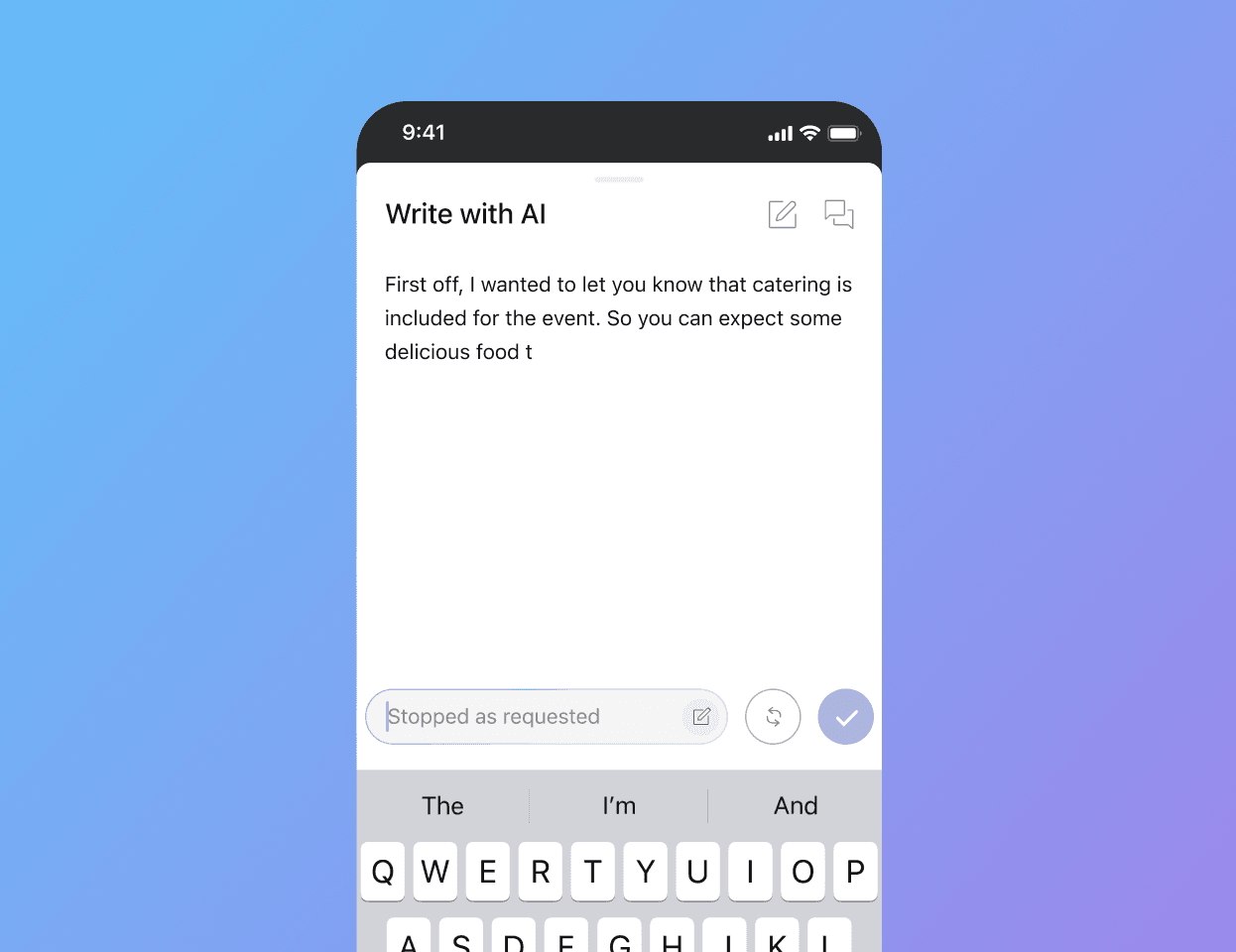
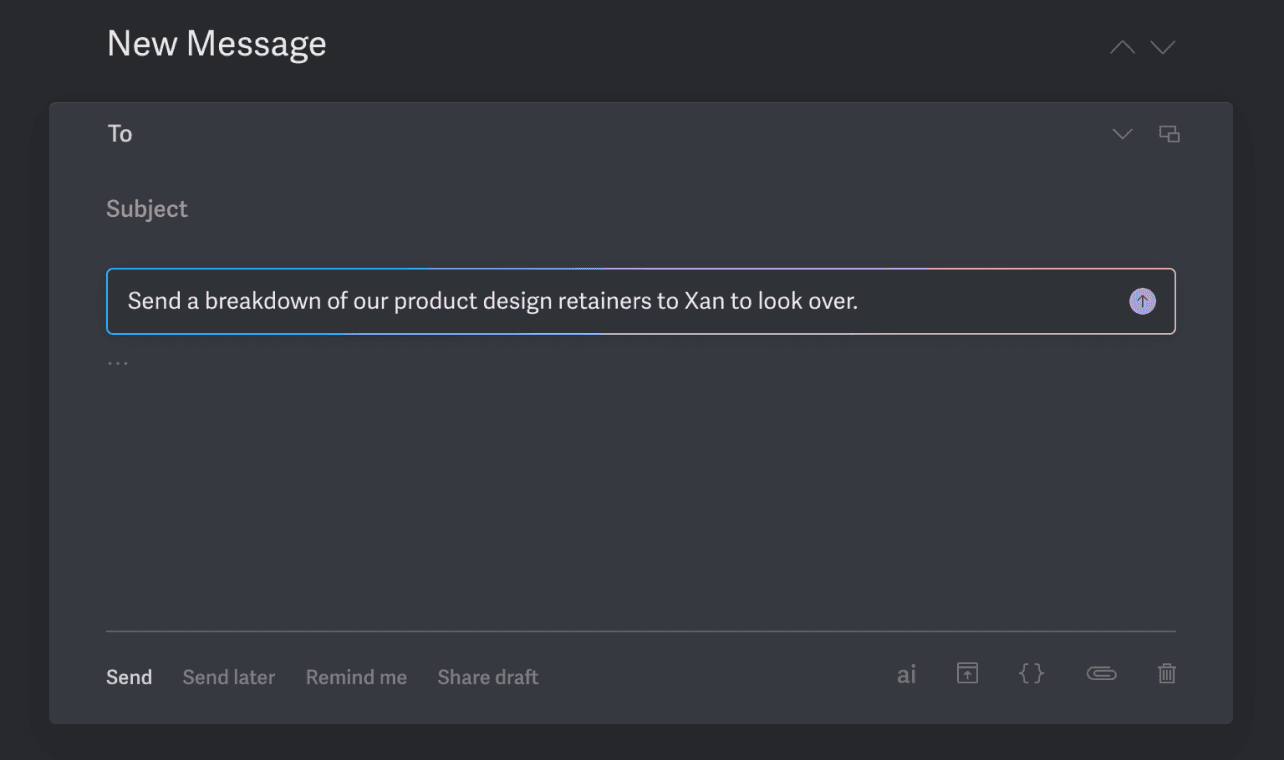
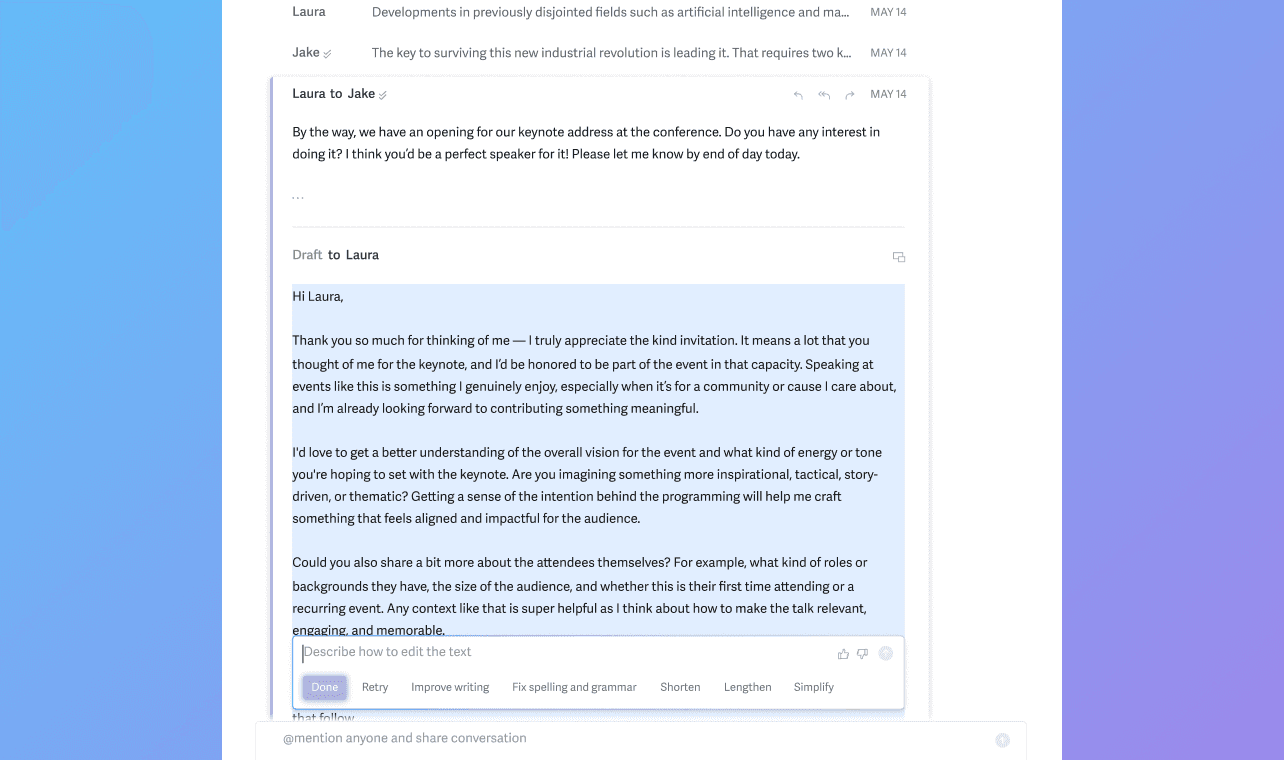
Write with AI lives in the composer of Superhuman, and can be accessed by easily hitting CMD+J and giving it some notes on what you want your draft to say, or how you want to edit certain parts of your draft. Think of it as your own writing assistant!
The first version of Write with AI would provide copy based on your input and you can choose to accept it or refine it before it updated your draft. In the new version, any updates would directly affect the active draft, so it was quicker and less bulky. The new design needed to optimize for speed in both updating and editing the draft. We were guided by the principles of "keep people moving", "explore multiple directions", and "keep a clean conversation."
Exploring new patterns
Since the new Write with AI would insert the new copy directly into the draft, we were constrained by the amount of vertical space the floating component could occupy. That way, most of the draft could always stay visible in the viewport.
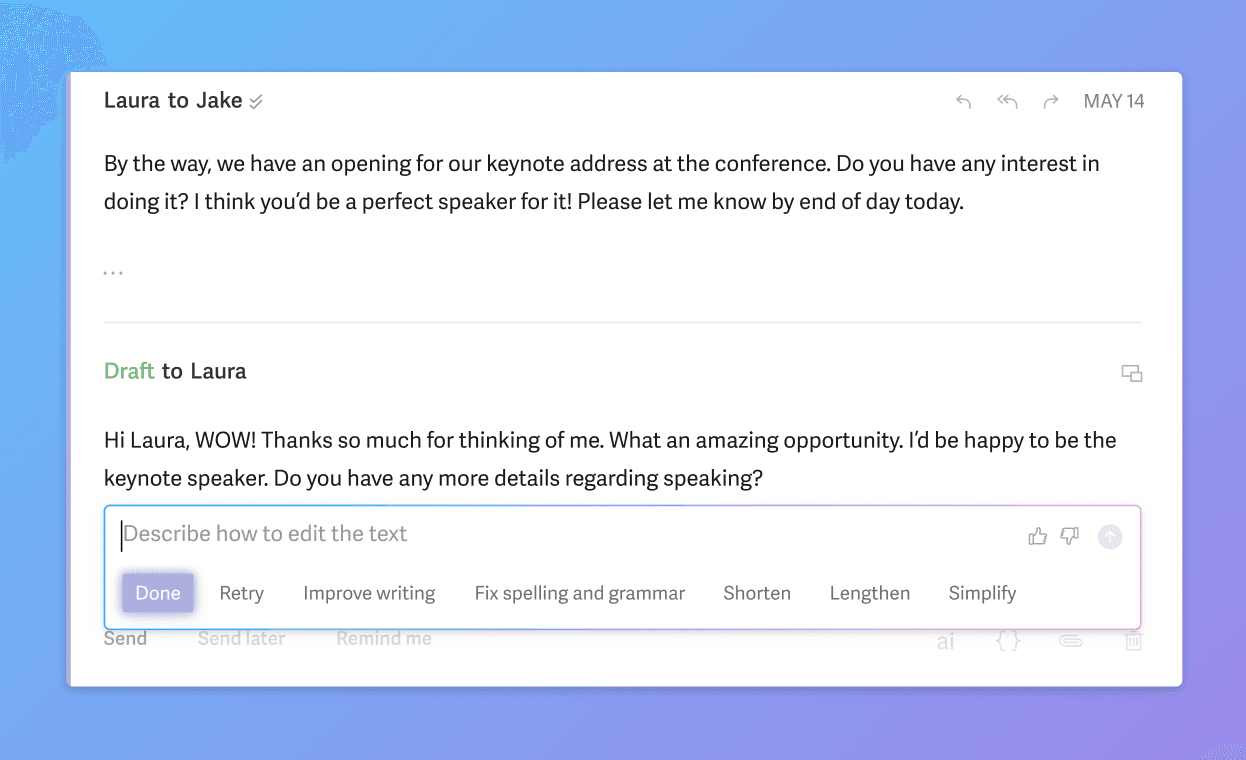
To design a shorter component is one thing, but we really needed it to feel faster. This is hard to gauge by just prototyping something in Figma, so we used V0 by Vercel to build a prototype we could test and feel to make sure it was intuitive, fast, and optimized for the typical number of edits someone makes using Write with AI: one or two.
The new design features a horizontal menu with "Done" already in focus, so a quick "Return" key could close Write with AI after you were finished, and it had a type-ahead selectable menu of options so you could refine your draft more quickly and intelligently. It's key to give users an idea of what the LLM can do, because natural language is surprisingly not that natural at all!
Draft from anywhere, stay in flow
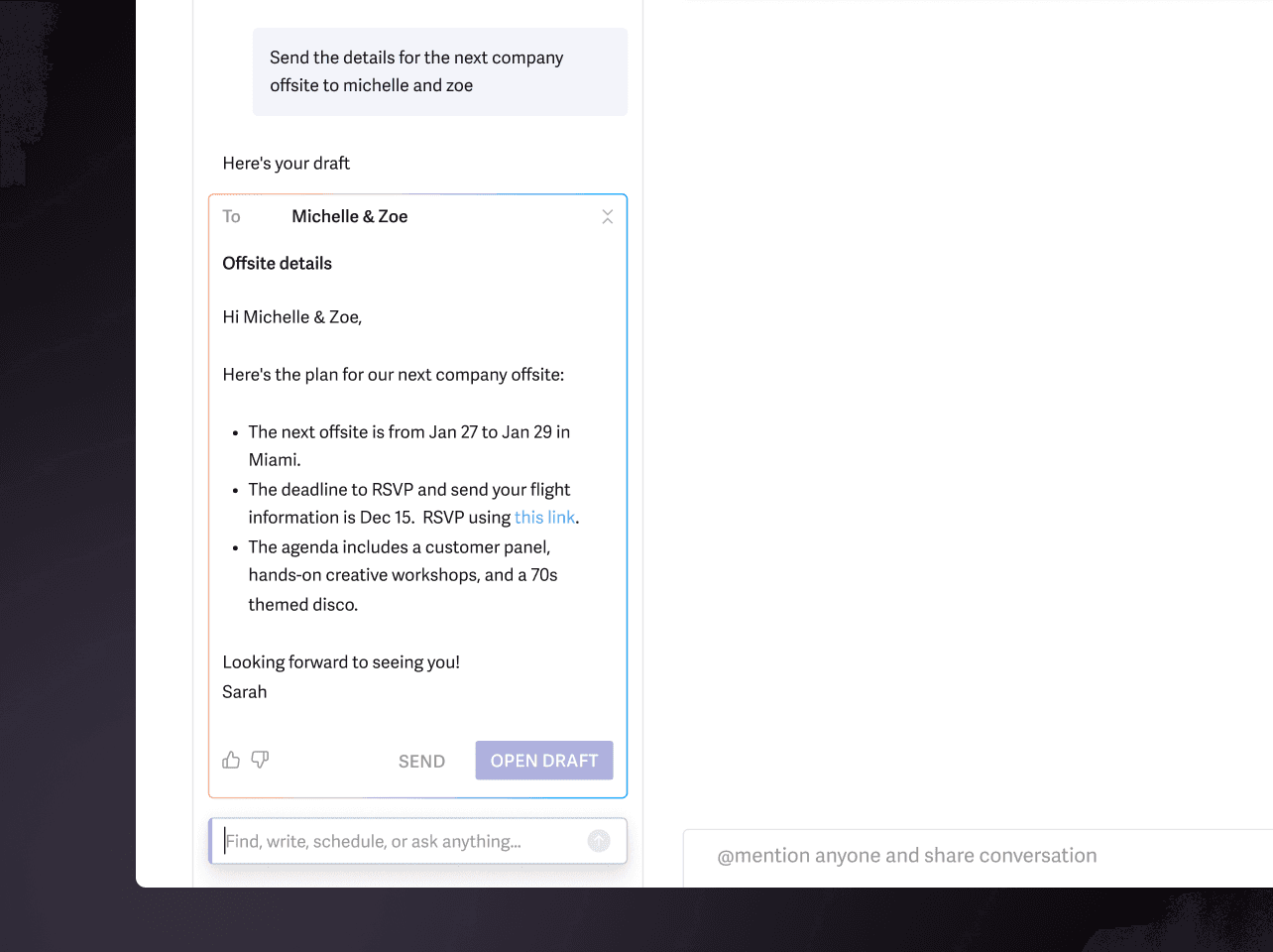
What if I'm not in a composer, but need to send a quick note? What if I'm asking about information to send a client an email, and Superhuman knows that and suggests a nice draft to send? The second part of our AI-assisted drafting is giving users this capability right from a sidebar chat.
Users can ask Superhuman to draft anything for them, and it'll intelligently gather the necessary context, and provide a draft for you to open in a new composer, in an existing thread, or just send it right there and then.
The designs needed to be sleek, minimal, and familiar to a composer so users could trust that this would send and be received normally by the recipient. Again, the objective here was to give users another surface to get through their most important emails, and always keep them in their flow wherever they are.
We explored a number of card designs that felt familiar and useful. Superhuman is so successful because they take really complex and powerful ideas, and put them into a simple interface. We follow those principles in every feature we help them ship. Using existing patterns from the composer, other AI features, and Superhuman's button hierarchy, we landed on a draft card that felt simple and legitimate. Knowing when to practice restraint and abstract away complexity was key.